# FastVoxel

**FastVoxel** is a **Voxel Engine** for Godot written as a Rust GDExtension. The goal is basically: generate chunks quickly, keep voxel storage lightweight, and build meshes at runtime for blocky worlds with textured materials.
This repo contains the engine/GDExtension side of the project.
It's currently being refactored constantly, so some internal structure may change, but the main ideas and APIs are stable enough to explain here. (or Are They?)
## Highlights
- Rust-based Godot 4 GDExtension
- chunked voxel mesh pipeline
- bit-packed voxel storage (solid / air)
- procedural terrain using `fastnoise-lite`
- chunk streaming around the player
- runtime cube meshing with texture atlas support
- Godot editor resources for config + voxel registry
## Soon:
- Multi-Threaded chunk meshing and world generation using a `Work Stealing` Thread pool with divide‑and‑conquer parallelism.
## Screenshots
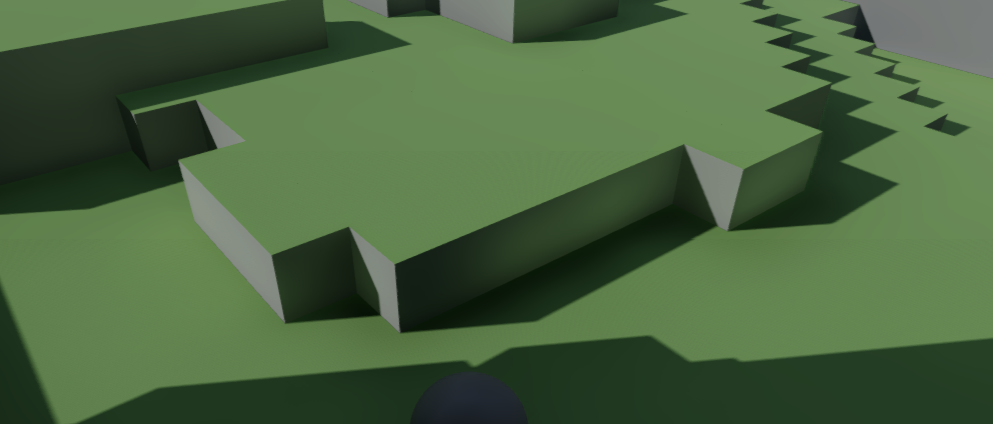
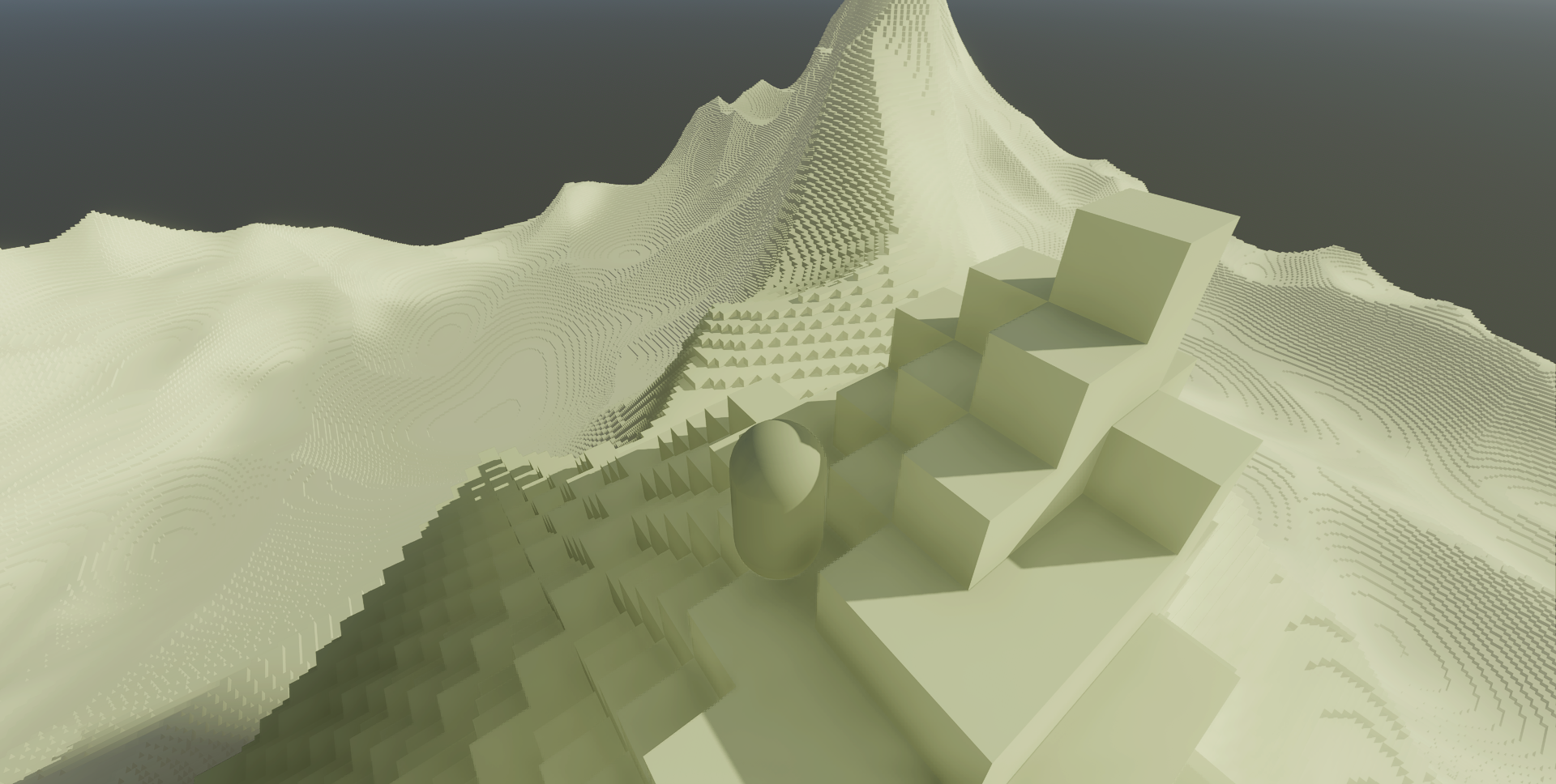
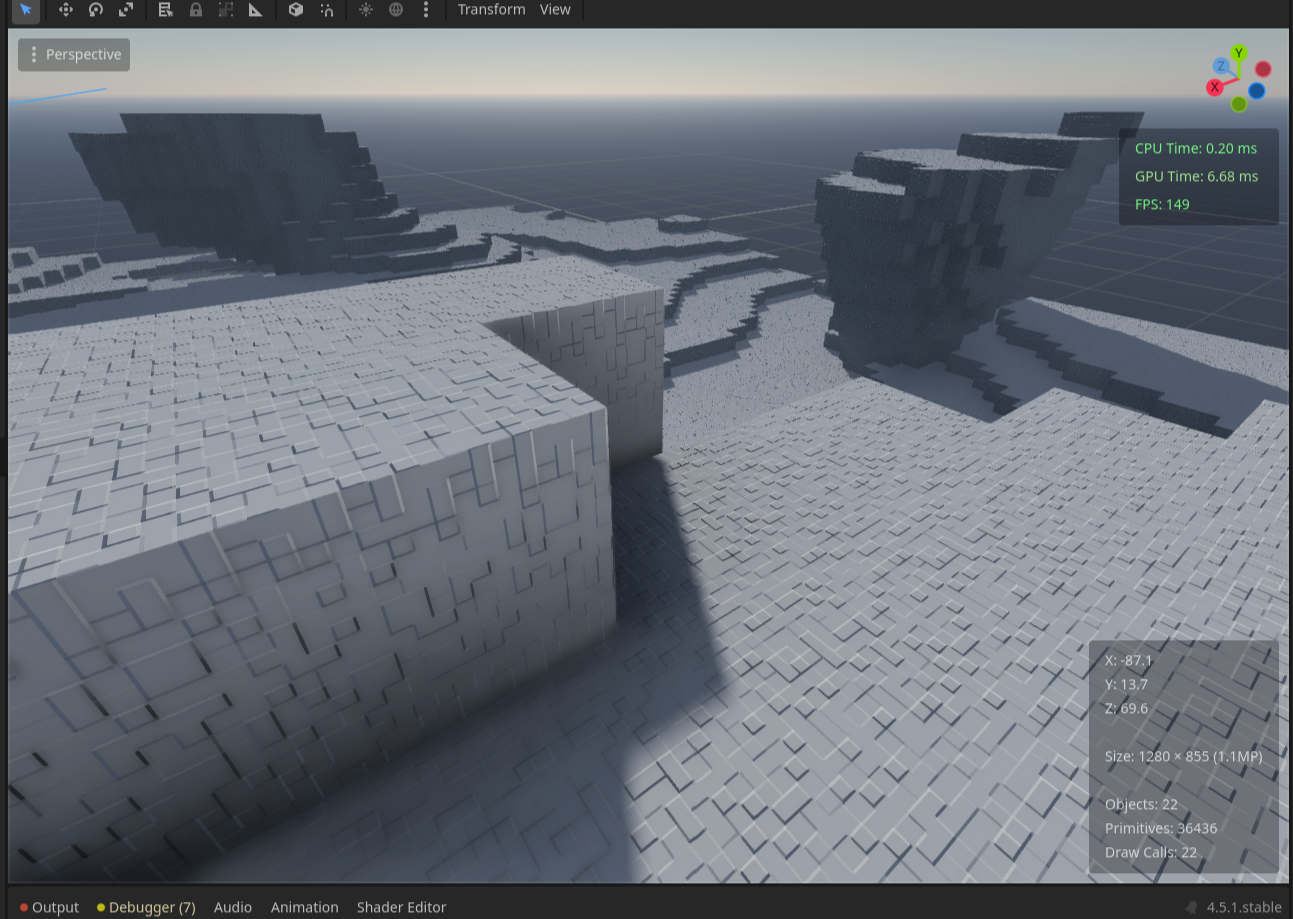
Right now the repo only contains branding assets. I haven't added gameplay screenshots yet.
If you want to add screenshots that show directly on the README, the easiest thing is to just drop images somewhere like:
```
docs/screenshots/WHATEVER.png
```
Then embed them in the README like:
```md

```
## What FastVoxel Actually Does
The engine generates a voxel world using chunk columns.
Rough pipeline looks like this:
1. A `SurfaceGenerator` decides if a voxel is solid or not.
2. A `ChunkColumn` holds a vertical stack of chunks.
3. Each `Chunk` stores voxel occupancy in a compact bit-packed format.
4. A `Mesher` converts visible voxel faces into triangle meshes.
5. A `Renderer` turns those meshes into Godot `MeshInstance3D` nodes.
6. A world node updates loaded terrain as the player moves around.
The idea is to keep generation, storage, and meshing fairly modular so different strategies can be swapped in later.
## What FastVoxel "Doesn't" do
1. The engine doesn't use compute shaders or any kind of GPU accelerated meshing algorithem.
2. The engine doesn't bake per-vertex AO on greedy mesher (because it complicates things and I'm running on two brain cells at the moment)
3. The engine doesn't cull the neighboring faces because it has no access to the data of adjacent chunks. (I'm working on it).
## Core Concepts
### Chunked world layout
Terrain is divided into columns of chunks.
Current defaults:
- `CHUNK_SIZE = 32`
- each chunk = `32 × 32 × 32` voxels
- columns stack multiple chunks vertically like a hamburger
- chunk loading/unloading happens around the player based on render distance
Relevant files:
- `src/chunk/chunk.rs`
- `src/chunk/column.rs`
- `src/chunk/chunk_manager.rs`
### Bit-packed voxel storage
Instead of storing a struct per voxel, chunks store occupancy using packed `u32` blocks. since a voxel is represented by a single **bit**, a single `u32` can store the state of `32 voxels`.
right now a voxel is basically:
- `0` -> air
- `1` -> solid
This keeps memory usage low and makes lookups very cheap.
For a 32 × 32 × 32 chunk, each horizontal row of 32 voxels fits into a single u32. Which means a layer of the chunk requires 32 u32s, and the entire chunk can be stored as a 32 × 32 array of u32s. Each u32 corresponds to one row of voxels along the X axis.
This compact memory layout works well for terrain meshing stage, where the main concern is to quickly check whether voxels are empty or solid. because we use a single bit to represent a voxel instead of a full struct or enum or whatever, the implementation is 32× more memory efficient (no sh- sherlock).
Material differences are currently handled at the meshing/registry layer instead of inside the voxel storage itself.
### Surface generation
The default generator is `SimpleSurfaceGenerator`.
It uses `fastnoise-lite` to create a heightmap and then fills voxels from the bottom up to that height.
Important files:
- `src/generation/generator.rs`
- `src/generation/simple_heightmap.rs`
The generation system is trait-based so other terrain approaches can be plugged in later.
### Meshing
There are a few different meshing implementations right now.
- `CullingMesher` – basic visible-face meshing
- `TexturedMesher` – cube meshing with texture atlas support
- `BinaryGreedyMesher` – more optimization-focused experiment
Relevant files:
- `src/meshing/mesher.rs`
- `src/meshing/textured_mesher.rs`
- `src/meshing/binary_greedy_mesher.rs`
The textured mesher is currently the most useful one if you're aiming for something Minecraft-like since it supports per-face UV lookup via a voxel registry.
### Godot integration
The engine exposes a few classes/resources to Godot via GDExtension.
Main ones:
- `WorldConfig` – terrain + generation settings
- `VoxelRegistry` – describes voxel types and atlas tiles
- `World` – runtime node responsible for generation and updates
- `WorldPlugin` – editor-side plugin hooks
Files:
- `src/editor/world_config.rs`
- `src/editor/voxel_registry.rs`
- `src/editor/world_node.rs`
- `src/editor/world_plugin.rs`
## Project Structure
```
src/
├── chunk/ # chunk data, columns, chunk manager, mesh buffers
├── editor/ # Godot resources, world node, editor plugin
├── generation/ # generator traits + procedural terrain generation
├── meshing/ # meshing strategies
├── rendering/ # converting mesh data to Godot meshes
├── terrain/ # higher-level terrain experiments / refactor work
└── voxel/ # voxel registry + earlier voxel abstractions
```
## Build and Install
### Requirements
You need:
- Rust toolchain
- a Godot 4 project set up for GDExtension
- optionally a sibling Godot project if you want to use the provided `build.sh`
### Build the extension
```
cargo build --release
```
### Helper build script
There's a small `build.sh` script that builds the Rust library and copies it into a Godot project.
By default it expects a project at:
```
../minekoloft
```
It copies the Linux shared library to:
```
../minekoloft/addons/fastvoxel/bin/linux
```
Run it with:
```
./build.sh
```
If your Godot project is somewhere else, just edit the `GODOT_PROJECT` path in the script.
## Using It in Godot
Typical workflow looks like this:
1. build the Rust extension
2. copy/install the addon into your Godot project
3. create a `WorldConfig` resource
4. create a `VoxelRegistry` resource
5. add a `World` node to a scene
6. assign the config and registry in the inspector
7. trigger terrain generation
8. call the update method each frame with the player position
### WorldConfig
`WorldConfig` stores generation settings like:
- `chunk_size`
- `render_distance`
- `worker_threads`
- `seed`
- `frequency`
- `terrain_height`
Default values in the code are roughly:
- chunk size: `Vector3i(32, 32, 32)`
- render distance: `8`
- worker threads: `4`
- seed: `1234`
- frequency: `0.03`
- terrain height: `6`
These are just meant for quick test worlds.
### VoxelRegistry
`VoxelRegistry` is a Godot `Resource` containing voxel model definitions.
Each `VoxelModel` can specify:
- voxel type
- atlas size
- tile index for each cube face
Faces supported:
- left
- right
- bottom
- top
- back
- front
The mesher uses this to assign UVs when building meshes.
### Runtime API
The intended `World` node API currently includes:
- `generate_terrain()`
- `regenerate_terrain()`
- `clear_terrain()`
- `update_from_gdscript(player_world_pos: Vector3)`
Example usage in GDScript:
```gdscript
@onready var world = $World
@onready var player = $Player
func _ready() -> void:
world.generate_terrain()
func _process(_delta: float) -> void:
world.update_from_gdscript(player.global_position)
```
## Engine-Level API Notes
### Generation trait
Terrain generation is abstracted behind `SurfaceGenerator`.
```rust
pub trait SurfaceGenerator: Send + Sync {
fn generate(&self, column: &mut ChunkColumn);
fn sample_voxel(&self, pos: Vector3i) -> bool;
}
```
This makes it easier to experiment with:
- different noise algorithms
- caves
- biome systems
- deterministic seeds
- threaded generation later on
### Mesher trait
Meshing also uses a trait interface.
```rust
pub trait Mesher: Send + Sync {
fn generate_mesh(&self, chunk: &Chunk, mesh: &mut ChunkMesh);
fn generate_mesh_with_registry(
&self,
chunk: &Chunk,
registry: &VoxelRegistry,
mesh: &mut ChunkMesh,
);
fn get_name(&self) -> &str;
}
```
Some meshers only need occupancy data, while others need material/registry info.
Keeping this separated makes it easier to experiment with meshing strategies without touching world management code.
### ChunkManager
`ChunkManager` is responsible for most of the runtime work:
- managing chunk column lifetimes
- generating terrain around the player
- unloading distant chunks
- triggering meshing
- submitting meshes to the renderer
- handing mesh instances back to the scene tree
So it basically sits between generation, meshing, and rendering.
## Current State
The project is mid-development and some systems are being refactored (mainly around the world/terrain layers).
But the overall direction is pretty clear:
- compact chunk storage
- trait-based generation
- pluggable meshing
- Godot editor resources
- runtime chunk streaming
## Why This README Exists
Mostly so the repo has an actual front page explaining:
- what the project is
- how it works
- how to build it
- where to start reading the code
Wiki pages tend to be less visible when someone first lands on the repository.
## Possible Future Work
Some things likely coming next:
- finishing the current terrain/world refactor
- adding real gameplay screenshots or gifs
- stabilizing the Godot-facing API
- multithreaded chunk generation **(GOD HELP)**
- more voxel/material data in storage
- improved greedy meshing and cross-chunk face handling
- a small example Godot project using the addon
## License
This project is licensed under the MIT License.
See the `LICENSE` file for the full text.